
How to Search Cases by Name
District civil, family, juvenile, and felony files start with the Kleberg County District Clerk. That office publishes no public district case-search link. So plan on direct clerk contact instead of an online interface. For county-level criminal and probate matters, begin with the County Clerk. That page routes records from September 1987 forward to TexasOnlineRecords. Pick the clerk who matches your case type before you search anywhere.
- Identify the court and case type before opening a portal.
- Choose the District Clerk, County Clerk, justice court, or city court.
- Enter the known name as the live form permits.
- Compare court, cause number, style, and filing date.
- Open the matching result and record its current docket details.
City citations go through the Kingsville Municipal Court portal, which offers first name, last name, and date of birth. It is not a countywide index. Search narrowly, match the citation details, and vary spelling only when hunting a known matter.
| Field label | Type | Required | Verified notes |
|---|---|---|---|
| First name | Text | Not marked | Used with the name mode |
| Last name | Text | Not marked | No wildcard rule shown |
| DOB | Date/text | Not marked | Format shown as MM/DD/YYYY |
| Business name | Text | Not marked | Separate business mode |
Kleberg County Search Routes by Court
Kleberg County splits its records among several clerks. Civil, family, felony, and juvenile files for the 105th District Court start with the District Clerk. The County Clerk handles county criminal and probate records. Each of four justice courts keeps its own lower-court docket. Kingsville Municipal Court maintains city citation records. Choosing the right custodian matters more than any broad portal search.
| Matter | First search route | Clerk fallback |
|---|---|---|
| District civil, family, felony | District Clerk request; re:SearchTX where participating data exists | District Clerk, 361-595-8561 |
| County misdemeanor, civil, probate | TexasOnlineRecords from the County Clerk page | County Clerk, 361-595-8548 |
| JP traffic or small claim | Citation or precinct contact | Named justice court |
| Municipal citation | City court contact or vendor | Municipal clerk |
Use the county directory to sort out the County Court at Law, the 105th District Court, the four justice courts, and their offices. It lists each office separately.
How to Search by Case Number
A cause number is the sharpest search key, because it points to one court file. Copy every piece of it. Keep the prefix, year, separator, sequence digits, and any leading zero exactly as written. Store it as cause number exactly as filed alongside the court name. Kleberg County uses no single universal format. So trust the notice in hand over any sample pattern. The Kingsville portal starts from citation data, not a general county case-number field. If an exact identifier returns nothing, check its label: cause number, case number, or citation number. Then confirm the system you are searching serves the court printed on your notice. If the search still fails, give the clerk the full identifier and let them look. Note: A citation number, a payment account, and a court cause number can be three different identifiers. Use whichever label the court notice prints.
Kleberg County Portal Boundaries
The County Clerk page links three record systems with different scopes. Kleberg Public Search covers current real-property and selected public indexes. Kofile holds older real-property material. For criminal and probate records from September 1987 forward, the stated route is TexasOnlineRecords. That is the only one of the three that belongs in a county criminal or probate case lookup. None of these is a universal docket spanning district, county, JP, and municipal courts. The county page makes no such claim. The District Clerk posts contact and filing information but no public case-search link. The re:SearchTX landing screen shows the separate statewide electronic access layer.
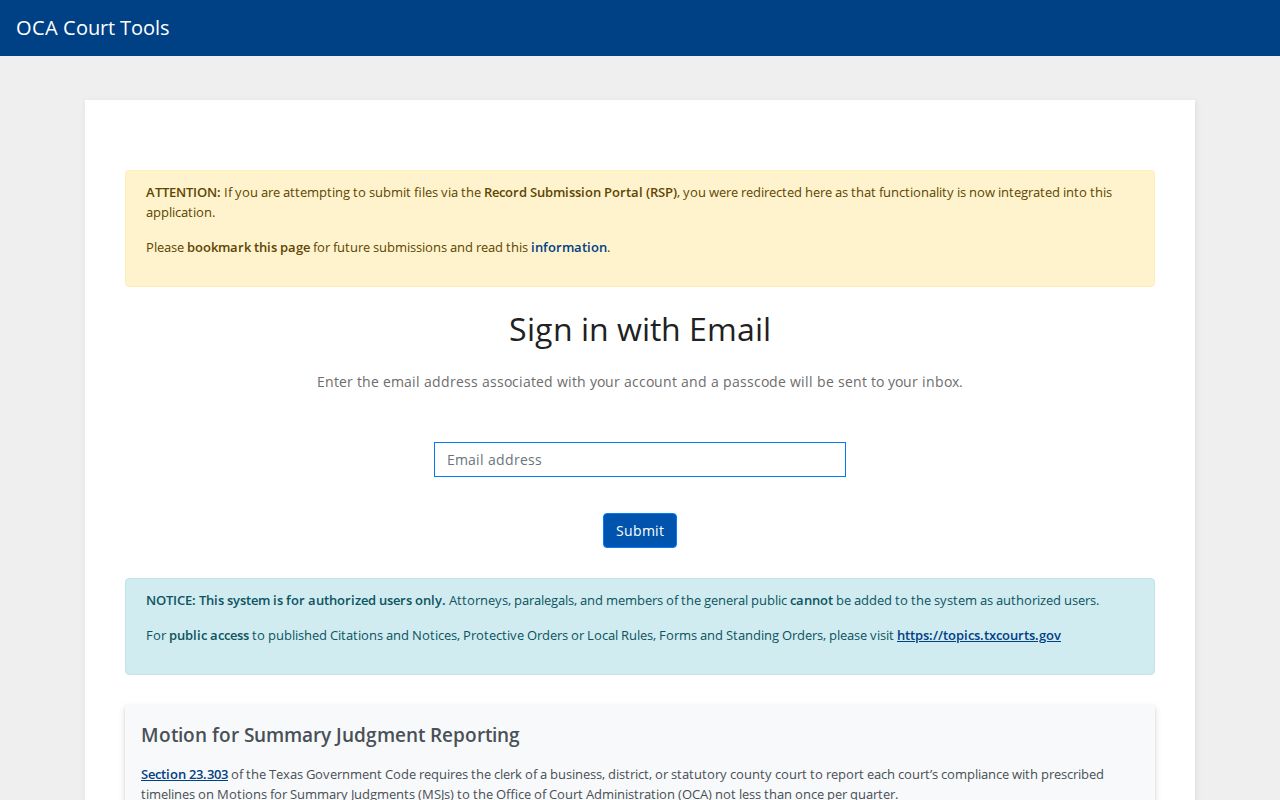
That sign-in screen is a reminder to check participation and access rules first. Do not assume a Kleberg County case is available there.
Safer search: Prefer the cause number for your own case. Do not publish a Social Security number, driver-license number, or birth date.
What a Case Search Returns
Public search results vary in shape. Judge the fields by what your browser actually shows rather than expecting a fixed list. A case header and its docket entries are not the filed documents themselves. Getting a document may take a copy request, a purchase, or an access review.
| Cause number | The court's exact identifier. |
|---|---|
| Case style | The caption used to confirm the right matter. |
| Court | The court that holds and controls the record. |
| Filed date | When the case or a document entered the clerk's file. |
| Status | Open, closed, disposed, or another live label. |
| Docket text | A dated event or clerk notation, read apart from any linked filing. |
| Hearing | A scheduled date and type, which does not prove it was held. |
Need a certified copy? Call the clerk, because a portal printout never counts as one.
Kleberg County Docket or File
A lookup can hand you a caption, a filing date, a status, or an event. It may not include every document behind it. The docket is the chronological layer of activity. The full file may also hold pleadings, citations, returns, motions, affidavits, exhibits, signed orders, judgments, transcripts, and recordings. Images may require a purchase or a clerk request. Ask for a docket sheet when the sequence of events is what matters. Ask for a named pleading or order when you need its actual text. Request certification only when a clerk-certified copy is required. Precise wording helps the clerk quote the right fee. It also spares you from ordering an entire file when one record will do.
Statewide vs County Case Search
re:SearchTX gathers electronic court records from participating courts statewide. Its landing screen requires sign-in or registration, and Kleberg County coverage is not guaranteed. eFileTexas is mainly a filing service. An accepted e-filing does not prove a public docket entry or document image has posted.
| Point | re:SearchTX | Kleberg County route |
|---|---|---|
| Scope | Participating courts statewide | The court or clerk that holds the local file |
| Access | Credential or registration | County-linked portal or direct clerk contact |
| Search views | Cases, filings, text, hearings | Varies by County Clerk, District Clerk, JP, or city court |
| Limits | Integration, date, criminal, and document limits | Wrong-court and public-access limits |
| Best use | Participating electronic civil or family check | A known Kleberg County matter |
For certified copies, or records absent online, the county clerk remains the authority.
When Kleberg County Searches Fail
A blank result has many explanations. The case may sit in a JP or municipal court, fall outside the portal's coverage, use a different spelling, predate the online index, be restricted, or belong in another search mode. A live portal can also go down briefly. So a failed search is never the final word.
- Check the court name on the notice.
- Retry the exact cause number and confirm all zeroes.
- Check the exact spelling, date range, and issuing precinct.
- Cross-check re:SearchTX only if participating data is available.
- Call or visit the responsible clerk with the court, date range, and case number.
No online docket result? Go straight to the clerk. The District Clerk works out of 700 E. Kleberg Avenue and takes mail at P.O. Box 312, Kingsville, TX 78364. The County Clerk sits in the same courthouse, with mail going to P.O. Box 1327. When you write or call, ask three things: whether staff must pull the file, what copies cost, and whether anything in it is restricted. A JP matter belongs to the precinct shown on your notice, while a city citation goes to Kingsville Municipal Court.
Access and Restricted Cases
Not every lawful court record shows up online. Rule 21c shields sensitive data. Texas Rule of Civil Procedure 76a handles the sealing of civil files. Juvenile matters, expunctions, nondisclosures, sealed exhibits, and paper that was never digitized may be missing or limited too. A statewide report cited here says courts often withhold sensitive-data documents outright.
Texas Rule of Judicial Administration 12 sets the access rules for judicial records. Other court-access law applies along with it. The Texas Public Information Act does not automatically cover them. It does cover ordinary county records that way. Make your request specific: name the court, the cause number, the document, the date range, and whether you want to inspect or get copies. If access is denied, ask for the legal basis and the review route.
Kleberg County Clerk Verification
A docket search result is only a starting point. When the case status, a hearing date, a party match, or document access looks murky, verify with a human. District civil, family, felony, and juvenile records sit with the District Clerk; county-level criminal and probate files sit with the County Clerk. A justice or city clerk speaks only for its own lower-court docket.
Searching and copying are separate services with separate fees. The County Clerk charges $10 for a criminal record search, $1 per page for copies, and $5 per document to certify. Those rates apply to that office only, not to district or justice records, so ask for a current quote before you pay. And note that eFileTexas is a filing channel, not a public case-search page.
Verification checklist: Give the clerk the court, exact cause number, case style, date range, and specific docket entry or document needed.